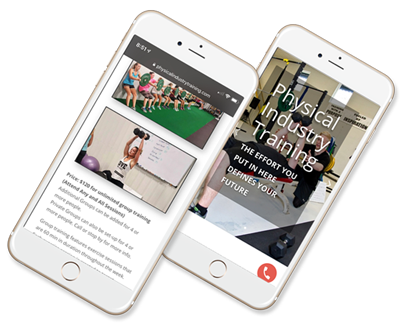

For local business owners and small teams, small business websites often become the first place customer confidence is won or lost when spending tightens. Economic downturn challenges raise the bar: buyers compare more, hesitate longer, and expect fast answers, clear pricing, and reliable follow-through. At the same time, common website growth barriers, unclear messaging, friction in key steps, and outdated signals of credibility, can quietly block sales even when demand still exists. The right customer satisfaction strategies reduce uncertainty and protect momentum, easing the business owner concerns that come with every slow week.
Quick Summary: Website Updates That Drive Trust
- Simplify website navigation so visitors find key pages quickly and stay engaged.
- Strengthen calls to action so more visitors contact you, request quotes, or purchase.
- Add customer testimonials so prospects build confidence and trust your business.
- Improve SEO basics so more qualified customers discover your website in search.
- Speed up pages and optimize for mobile so users get a smooth experience anywhere.
Make These Fixes to Improve Conversions and Trust
When budgets tighten, your website has to do more with less, answer questions faster, remove friction, and make it easy to buy or book. Use these fixes as a repeatable “website upkeep routine” you can improve over time as your web and IT skills grow.
- Simplify navigation to 5–7 core items: Audit your menu and keep only what a new visitor needs to decide: Services/Shop, Pricing, About, Reviews, Contact/Book, FAQs. Move everything else into the footer or an “Resources” page. Fewer choices reduce hesitation and make mobile navigation cleaner, which matters when visitors are scanning quickly during stressful times.
- Make your primary call-to-action impossible to miss: Pick one main CTA per page (e.g., “Request a quote” or “Schedule a call”) and give it a consistent position, top right on desktop and sticky at the bottom on mobile. Use high-contrast color, short verb-first copy, and a dedicated landing page that repeats the benefits and answers objections. Then remove competing CTAs that distract, like multiple different buttons above the fold.
- Build a testimonial system, not a random quote box: Create a dedicated “Customer Stories” page with 6–12 testimonials grouped by problem type (speed, reliability, affordability) and add one or two to each key service page. Include specifics, location, service used, timeframe, measurable result, and get permission to use first name + last initial for credibility. If you can, add a simple intake form so collecting new reviews becomes part of your weekly operations.
- Implement practical SEO with a checklist: Use an SEO checklist as your weekly list: confirm every important page has a unique title tag, one H1 headline, descriptive headings, and a meta description that matches the offer. Add internal links from blogs/FAQs to money pages (services, booking, product categories) using plain-language anchor text. This kind of steady, skills-based maintenance compounds over time and keeps your site understandable to both humans and search engines.
- Cut load time by fixing the “big three”: Start with image compression and proper sizing (don’t upload a 4000px photo to display at 800px), remove unused plugins/scripts, and enable caching where your host allows it. Prioritize pages that make money, homepage, top service page, booking/checkout, before polishing everything else. A faster site directly supports conversions because a site that loads in 1 second converts 3 times better than one that loads in 5 seconds.
- Improve mobile usability with thumb-first design: Check every key page on a real phone and fix the basics: readable font size, generous line spacing, and buttons at least the size of a fingertip. Keep forms short (name, email/phone, one message field) and use input types that bring up the right keyboard (email, number). Treat mobile as the default, since many customers will first meet you there.
- Tighten security and reduce trust-killers: Ensure HTTPS is enforced, enable a web application firewall if available through your host, and turn on multi-factor authentication for admin logins. Update your CMS, theme, and plugins monthly, and remove anything you don’t use, unused add-ons are common entry points. Publish a clear privacy policy and show security cues near forms and checkout to reassure cautious buyers.
- Run a monthly “broken links + freshness” routine: Once a month, scan for 404 errors and fix them with redirects to the nearest relevant page (not just the homepage). Refresh one high-intent page by adding a new FAQ, updating pricing/availability language, and replacing outdated photos, small edits signal an active business. These routines turn website improvement into a manageable habit instead of a one-time overhaul.
Website Q&A for Tough Times
Q: What should I fix first if I only have a few hours?
A: Start with one high-intent page customers already land on, usually your top service, booking, or product page. Make the main action obvious, remove extra distractions, and add a short “how it works” section. If people can understand and act in 10 seconds, you will feel the impact quickly.
Q: How do I measure whether my website is actually helping?
A: Track three basics: contact or booking submissions, calls or emails from the site, and sales that start from website clicks. Add UTM tags to your social and email links, then review results weekly so you spot patterns before you feel discouraged. If conversions rise while traffic stays flat, your changes are working.
Q: What is “good enough” SEO when I cannot do everything?
A: “Good enough” means each key page clearly matches a real customer search and answers it fully. Think of SEO as a strategy that puts your business in front of ready-to-buy people, not a contest for vanity traffic. Write one helpful page per offer, then tighten titles, headings, and internal links.
Q: How fast does my site need to be, realistically?
A: Aim for pages that feel instant on mobile, especially the pages tied to revenue. Compress images, reduce heavy plugins, and test again; you do not need perfection to improve outcomes. Many businesses see meaningful gains just by removing a few slow elements.
Q: How can I keep customers engaged without posting constantly?
A: Publish one helpful update each month and keep it focused on customer questions and problems. A simple content rhythm like monthly posts minimum builds trust over time without draining your schedule. Repurpose the same topic into an FAQ answer and a short email.
Build Trust and Resilience with One Website Upgrade Weekly
When money feels tight, it’s tempting to pause website work and hope customers still find and trust you. The steadier path is a simple, ongoing improvement mindset, choose practical website growth strategies, measure what matters, and keep refining without chasing perfection. Done consistently, the website enhancement benefits show up as clearer customer satisfaction outcomes, steadier sales, and stronger economic downturn resilience. Small website improvements, done consistently, create outsized trust when times are uncertain.
Guest post by Dean Burgess: Excitepreneur
Image via Magnific